Part 4 — The Implementation
How Charter Works
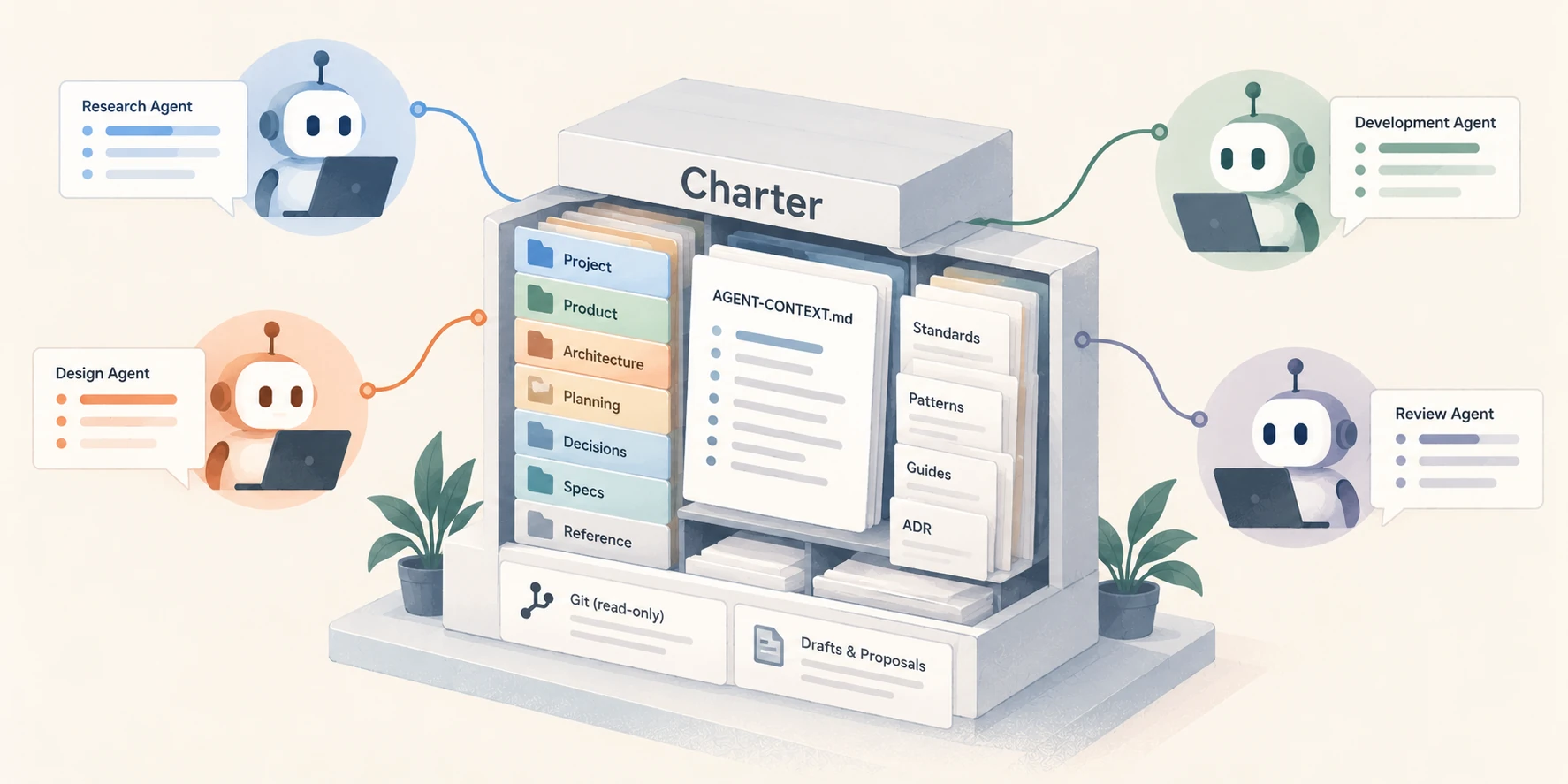
Charter is a small, local tool I built to manage governing context for software projects.
The idea isn’t particularly complicated. Keep the decisions that govern a project in a durable, organized location, make that information available to AI agents, and provide a controlled way for the context to evolve.
You can accomplish parts of this with Markdown files, project instructions, and Git. In fact, Charter uses those same building blocks.
What Charter adds is a consistent way to manage which information is authoritative, how agents access it, and how proposed changes become approved decisions.
A home for governing context
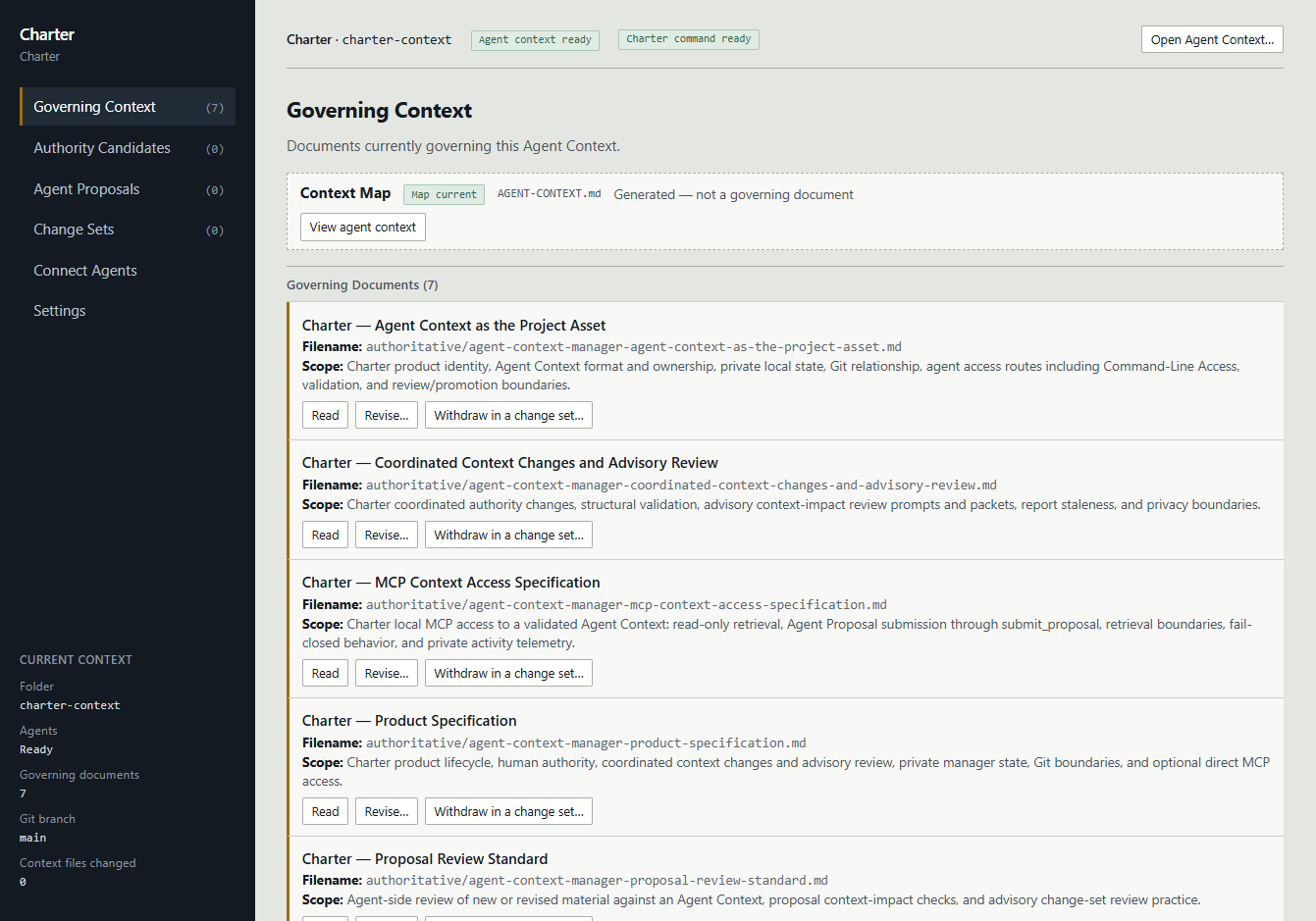
An Agent Context is a dedicated folder containing approved governing Markdown documents and a generated map, AGENT-CONTEXT.md.
Those documents are ordinary files. They can contain product specifications, architecture decisions, business rules, or whatever other approved information your project requires.
The context map gives agents a starting point for finding that information.
Candidates, pending proposals, and draft change sets stay in Charter’s private local working area, separate from the Agent Context that agents retrieve.
This is important because a project may contain hundreds of files, but an agent shouldn’t have to search through everything to determine which documents are supposed to govern its work.
The context also exists independently of any one agent session. When a conversation ends or a new agent joins the project, the governing documents are still there.
And because the context is a project asset, it can be maintained and version-controlled like other important project materials.
One context, many agents
One of Charter’s useful features is its support for MCP, the Model Context Protocol.
MCP allows AI tools to connect to external capabilities through a common interface.
In Charter’s case, that means agents pointed at the same Agent Context, with an appropriate MCP connection, can retrieve the same current governing material across tools and sessions.
For example, I might use ChatGPT to help think through a product requirement, Claude to implement it, and Codex to review or test the result.
Rather than maintaining separate copies of the governing specifications for each agent, Charter gives them a consistent way to retrieve the same approved information.
You still need to configure your agents to use Charter, and making context available doesn’t guarantee an agent will follow it.
Before Charter serves context through MCP or its checked command-line reader, it verifies that the documents and generated map agree. If they don’t, it refuses retrieval until the inconsistency is resolved. This helps catch direct edits that bypass Charter’s workflow, though it doesn’t prove who made them.
But at least you’re no longer depending on each agent’s conversation history to reconstruct the project’s decisions.
Agents can contribute, too
Charter isn’t just a place where agents read documents.
Agents can also submit proposals for changes to the governing context.
Suppose a development agent discovers that an architectural decision needs to change. Instead of silently rewriting the governing document, it can submit a proposal describing the change.
That proposal becomes something you can review.
You might accept it, reject it, or work through revisions before deciding.
Accepting an Agent Proposal makes its material a candidate for review; it doesn’t immediately change the governing documents. You can refine that candidate, include it in a change set, and preview the result. Only when you confirm the change set does the updated material become governing.
This is one of the capabilities I find most valuable. Agents can help maintain the specifications they work from, without automatically gaining the authority to change them.
Where Git fits in
Charter also works with Git, although it’s important to understand the relationship.
Git provides version history. It helps you track how files have changed, compare versions, and recover earlier content.
But a Git commit doesn’t necessarily mean a product decision has been approved.
Those are two different kinds of information.
Charter can use Git information to help you understand changes to your context, but Git doesn’t decide what governs the project. And Charter doesn’t make Git commits, change branches, or otherwise manage your repository for you.
You remain responsible for your project’s source control, just as you remain responsible for approving its governing decisions.
Why not just use AGENTS.md?
This is a fair question, and one I would have asked myself.
Files like AGENTS.md and CLAUDE.md are useful. They can tell agents how to work on a project and where to find important documentation.
I still see a role for them.
But an instruction file and a context-management process serve different purposes.
An instruction file can tell an agent to read the product specification. Charter provides a way to identify the governing documents, retrieve them, and manage proposed changes to those documents.
You could build your own process for doing all of this with files, scripts, and Git. Charter is simply a tool I’ve built to make that process more consistent and easier to maintain.
It isn’t intended to replace good prompting, careful review, testing, or the judgment of the developer coordinating the work.
It’s meant to handle one specific problem: maintaining a reliable source of governing decisions as a project evolves across agents and sessions.
And the real question, of course, is whether using it makes your development workflow easier.
Let’s look at what that might look like.